- Park your vehicle as close as possible to the charging station (note the position of the charging port)
- Plug in the cable
- Press “Start” on the station or in the app, hold your charging card up to the reader, or hold your debit card up to the credit card terminal
- Wait until “Charging in progress” is displayed
- Go get a coffee or relax—your vehicle is charging

Charging Instructions
We'll walk you through, step by step, how electric charging works seamlessly.
- Slow charging (AC): Your own Type 2 charging cable (usually included with the car)
- Fast charging (DC / HPC): No cable needed—it’s permanently attached to the charging station
- An authorization method: charging card, charging chip, app, cell phone (for payment via QR code), or credit or debit card (Direct Payment)
- Charging Card or Charging Chip (SMATRICS, EnBW mobility+, or a third-party provider)
All SMATRICS EnBW charging stations are equipped with an RFID card reader. Hold your charging card or charging chip up to the reader: The station will recognize your rate plan and begin charging. - Direct Payment Options (Direct Payment)
With Direct Payment, you can pay directly at the charging station without a contract. There are two options: - Credit Card Terminal
At charging stations with a credit card terminal, you can conveniently start charging via the terminal. Plug your vehicle into the charging point and pay at the terminal with your credit or debit card, or contactlessly with Apple Pay or Google Pay. - Online Direct Payment
All SMATRICS ENBW charging points feature charging instructions with a link or QR code. This link takes you to a website with an integrated charging network map. Select the appropriate charging point there. Once you’ve entered your information, charging will begin. - App
As a user of your charging provider’s app (e.g., the SMATRICS or EnBW mobility+ app), you can activate charging sessions directly in the app and conveniently start and stop charging processes. Save your preferred payment method and the appropriate rate plan. - AutoCharge
AutoCharge makes charging even more convenient. If your vehicle supports this feature and you have an EnBW mobility+ rate plan, the charging process starts automatically once you plug in—without needing an app or charging card. - Plug and Charge
With Plug and Charge, the charging process also starts automatically as soon as you connect to a charging station. This requires that your vehicle supports Plug and Charge and that a corresponding rate plan is set up in the vehicle.
- Charging card or chip: Hold the charging card up to the reader again to unlock the cable.
- Direct payment: A QR code will appear on the display. Scan it to receive your invoice.
- App: Complete the charging process in the app and remove the cable.
Payment Methods
Select one of the following payment options
- Bild
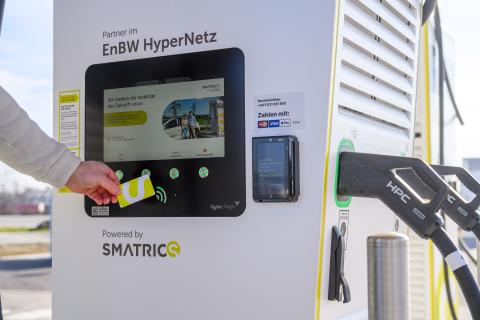
Charging tariff from SMATRICS
Charging with a charging card or app
- Bild
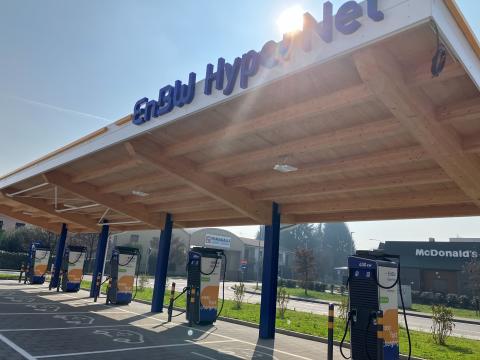
Charging tariff from EnBW
Charging with a charging card or app
- Bild

Third-Party Charging Rate
Roaming rates and billing vary by provider.
- Bild
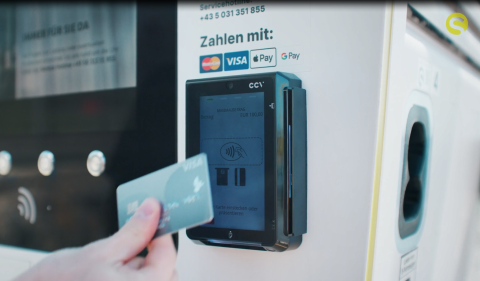
Charging without tariff
Pay directly with a debit or credit card at the card terminal


Charging Instructions
As individual steps of the charging process may vary due to different vehicles, plugs and charging stations, we provide you with various charging instructions for different kinds of stations & wallboxes in this area. Please pick your specific hardware:
DC / HPC Charging Stations
Instructions for Direct Current / High Power Charging Stations


AC Charging Stations
Instructions for AC (Alternating Current) Charging Stations


Wallboxes
Instructions for Wallboxes


Customer Service - EN
Do you have any questions?
We are glad to be there for you!
If you were not able to find an answer to your question in our FAQ, the SMATRICS service team will be happy to support you: